Separating Camera Scouting From 4K Upscaling: A Production Budget Workflow for Vidu Q4
Commercial Production Field Notes · Multi-Reference Video Direction
To produce multi-shot AI commercial spots without burning your monthly credit allocation on broken framing, separate camera blocking from final upscaling: audition every shot in Vidu Q4 540p (~72 credits per 5-second clip) with locked character, prop, and audio references, then promote only approved takes to 1080p, 2K, or 4K inside Vidu Q4.
Teams routinely waste half a week of credits by defaulting straight to 1080p before confirming whether a camera move works or whether a product silhouette drifts mid-pan. Separating draft blocking from master delivery cuts experiment costs by more than half while preserving subject identity across cuts.
How Vidu Q4 and Vidu Q3 Split Studio Workloads
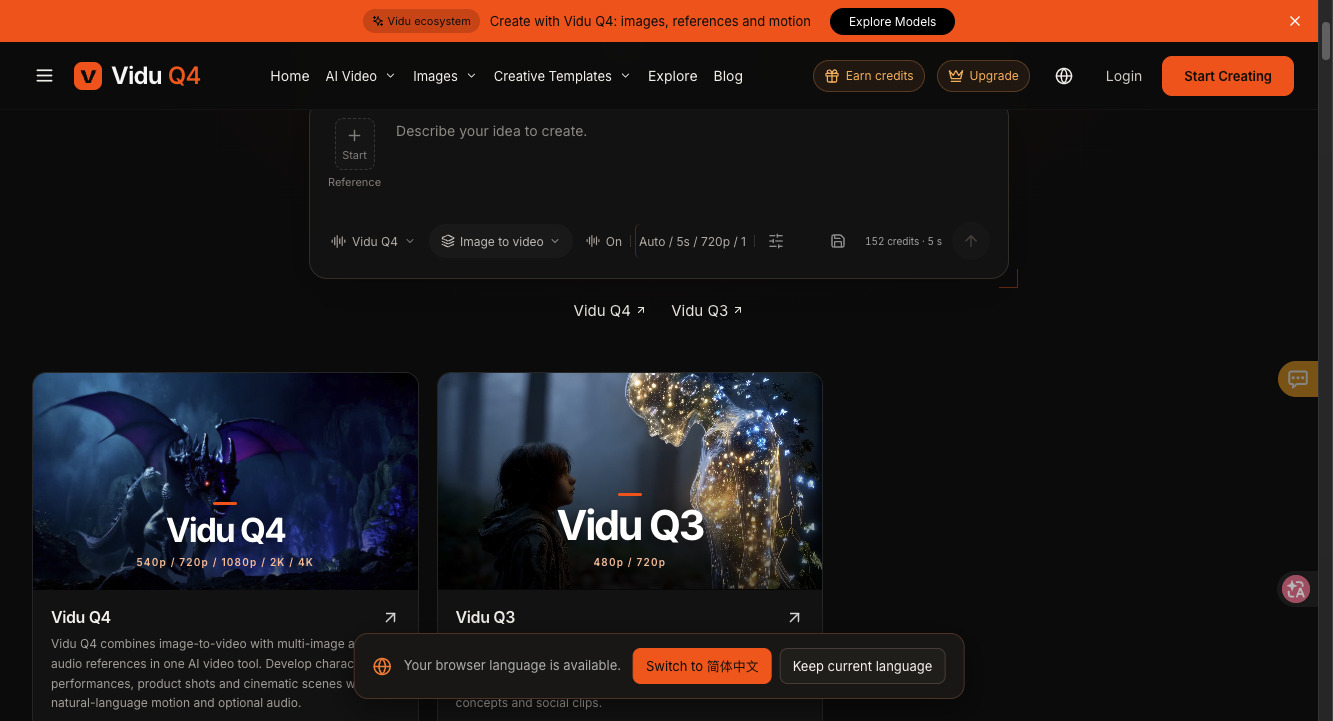
The workspace splits generation into two distinct roles rather than forcing one heavyweight tier for every test:
| Studio Engine | Supported Resolutions | Reference Inputs | Primary Production Role |
|---|---|---|---|
| Vidu Q3 | 480p / 720p | Text prompt, camera direction, optional sound | Fast script-to-storyboard angle tests before asset lock |
| Vidu Q4 (Draft Tier) | 540p / 720p | Start frame, multi-image plates, audio reference | Locking actor identity, prop scale, and 5-second timing |
| Vidu Q4 (Master Tier) | 1080p / 2K / 4K | Approved reference stack and seed | Final social, YouTube, and connected-TV master exports |
Where Multi-Reference Video Sits in 2026 Benchmarks
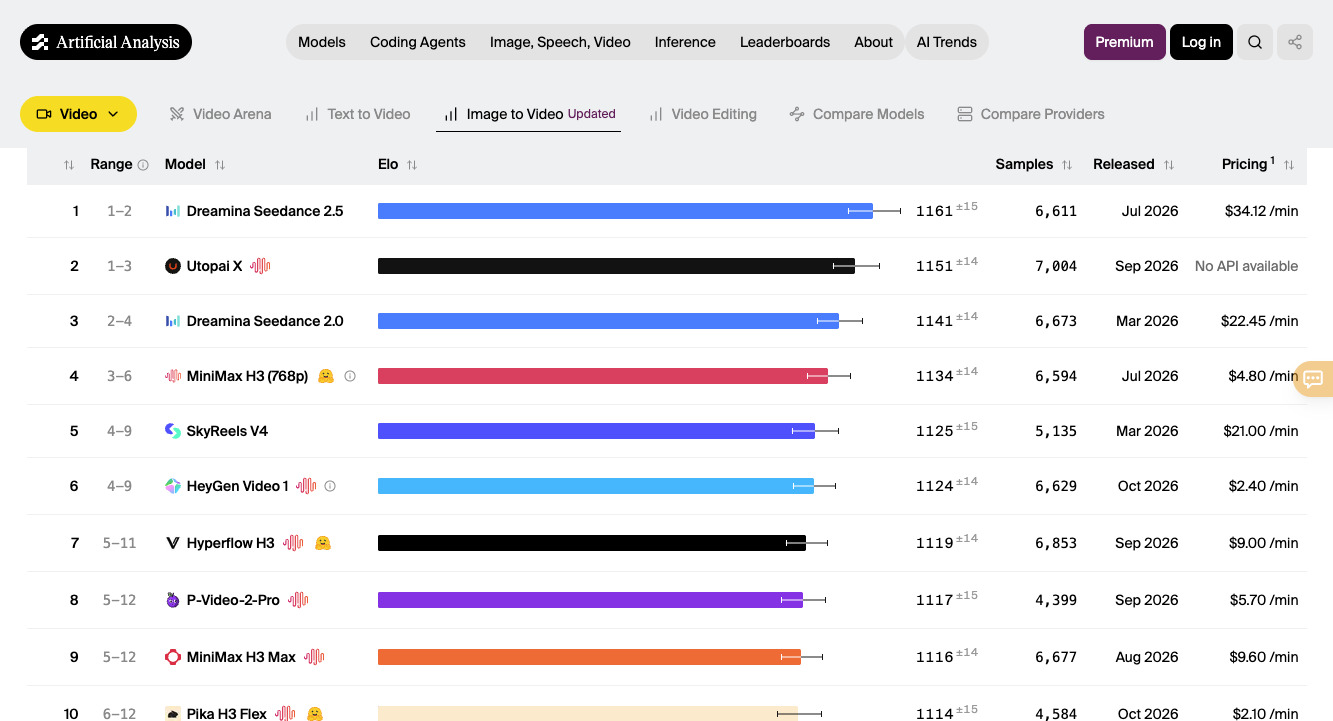
On the public Artificial Analysis Image-to-Video Leaderboard (AA-Video-I2V v2.1, ranked by blind human preference on clips generated with audio), Dreamina Seedance 2.5 holds Rank #1 at 1,161 Elo and Seedance 2.0 holds Rank #3 at 1,141 Elo. Vidu's earlier tracked baselines sit at 1,006 Elo for Vidu Q3 Turbo ($2.70/min API rate) and 991 Elo for Vidu Q3 Pro ($8.40/min). A standalone Vidu Q4 Arena row is still unverified on the public leaderboard, so producers should evaluate Q4 primarily on its multi-image plus audio reference locking and 540p-to-4K ladder.
Two-Pass Blocking Prompt for Commercial Consistency
Switch the input tab from Start to Reference, upload an isolated actor medium shot, a plain-background product plate, and an optional pacing audio track, then audition at 540p using one camera move and one physical action:
Using the uploaded actor plate (@ref_actor) and ceramic mug plate (@ref_prop), film a gentle 50mm tracking shot inside a sunlit Nordic kitchen. The actor lifts the steaming terracotta mug with both hands beside a rain-speckled window and smiles naturally as morning light catches the rising steam. Sync subtle ceramic contact and soft rain ambience to the audio reference.
Where Vidu Q4 Falls Short, Honestly
- Unverified standalone Q4 Arena Elo: Public Arena data currently tracks Vidu Q3 Turbo (1,006 Elo) and Q3 Pro (991 Elo); validate Q4 quality on your own reference photos in 540p before committing campaign budgets.
- Multi-action crowding in 5 seconds: Combining walking across a room, sitting down, and pouring a drink inside a single 5-second clip creates rushed motion. Restrict each generation to one camera path and one clear gesture.
- Cluttered reference backgrounds: Uploading product shots with busy backgrounds causes scene lighting bleed; crop or isolate props on neutral backdrops first.
Annual Credit Economics (9,600 Credits / Year)
On the Basic Yearly tier ($96.00/year, equivalent to $8.00/month and ~20% below $9.99/mo), accounts receive 9,600 credits upfront ($0.0100 USD per credit). Published capacity ratings cover up to 133 five-second Vidu Q4 clips at 540p (~72.18 credits, ~$0.72/clip) or 63 clips at 720p (~152.38 credits, ~$1.52/clip). Pro Yearly is listed at $192.00/year. Running 15 scouting takes at 540p plus 5 high-res finals consumes roughly 1,840–2,180 credits ($18.40–$21.80) for an entire 5-shot commercial sequence.
Quick Production Answers
When should you use Vidu Q3 instead of Vidu Q4? Use Vidu Q3 (480p / 720p) when testing pure text camera angles without uploaded assets, then move to Vidu Q4 as soon as face, prop, or audio locking matters.
Does the studio show credit burn before rendering? Yes, the bottom control strip computes exact credit consumption for your selected engine, duration, and resolution prior to submission.


Comments
Post a Comment