Mastering Wan 3.0 Video Generation: 5 Copy-Paste Director Prompts for Camera Motion, Continuity, and Lip-Synced Audio
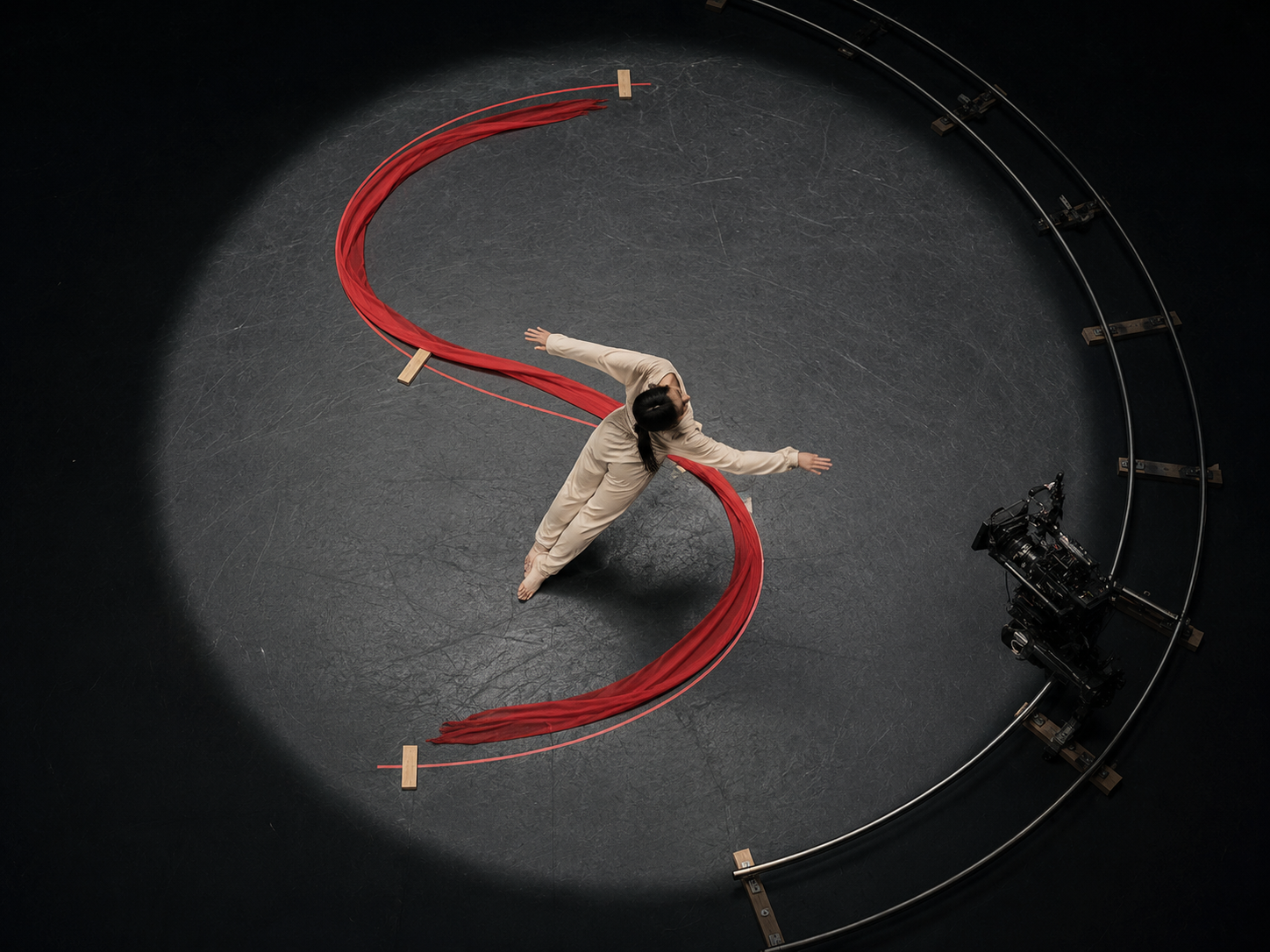
The difference between an amateur AI clip and a broadcast-ready commercial shot rarely comes down to surface texture alone—it comes down to camera discipline. When an AI model lacks spatial awareness of lens focal length, dolly rail geometry, or subject-to-camera distance, even a photorealistic frame dissolves into floating, weightless motion within three seconds.
Wan 3.0 video generation changes how directors control virtual cinematography by pairing 2-second to 30-second continuous rendering with dedicated Motion Control, 7-type multimodal reference locking, and synchronized native audio. Whether you are blocking a symmetrical Wes Anderson-style whip pan, a 180-degree orbital product hero shot, or a multilingual spokesperson reel with frame-accurate lip movement, you can direct the virtual camera using real-world cinematography grammar.
In this director's playbook, we break down the exact camera movement taxonomy supported by the engine, how to pair visual references with motion trajectories, and five copy-paste director prompts you can run today at 1080p.
Why Camera Discipline Defines Professional Wan 3.0 Video Output
Wan 3.0 video is a browser-based multimodal generation system that renders continuous 2s, 5s, 10s, 15s, and 30s sequences up to 1080p across six native aspect ratios (Auto, 16:9, 4:3, 1:1, 3:4, and 9:16) with simultaneous audio synthesis. By interpreting physical lens specifications, camera rig trajectories, and start-to-end keyframe boundaries, it eliminates the unmotivated camera drift common in first-generation text-to-video tools.
When prompting a 10-second, 15-second, or 30-second sequence, vague verbs like "cinematic camera movement" or "dynamic angle" force the model to guess the trajectory. Professional directors replace generic adjectives with three concrete parameters:
- Rig & Trajectory: Specify the physical support mechanism (
Steadicam tracking,curved dolly push-in,jib crane rise,locked-off tripod whip pan, or360-degree orbital arc). - Optics & Depth of Field: Define focal length and aperture behavior (
24mm rectilinear wide lens at f/8 for deep focusvs.85mm anamorphic portrait prime at f/1.8 with rack focus). - Subject-to-Camera Velocity: State whether the camera leads the subject, follows at matching speed, or moves counter to the subject's direction (parallax reveal).
Camera Movement Taxonomy & Recommended Settings in Wan 3.0
| Camera Move Type | Prompt Syntax Keyword | Ideal Duration & Ratio | Best Use Case & Visual Effect |
|---|---|---|---|
| Linear Dolly Push-In | Slow motorized dolly push-in on rails from wide to close-up |
5s – 15s (16:9 / 9:16) |
Building dramatic tension on a character or hero product |
| Curved S-Track / Orbit | 180-degree smooth orbital dolly arc maintaining constant focus on center subject |
10s – 30s (16:9 / 1:1) |
Luxury product showcases, automotive reveals, and dance choreography |
| Symmetric Whip Pan | Locked-off tripod 90-degree whip pan snapping cleanly to centered composition |
5s – 10s (4:3 / 16:9) |
Editorial comedy, architectural transitions, and Wes Anderson-style symmetry |
| Crane / Jib Elevation | Low-angle jib crane rising 15 feet vertically while tilting down 30 degrees |
10s – 30s (16:9) |
Establishing epic scale in landscape, real estate, or sci-fi previs |
| Rack Focus Shift | Locked 85mm f/1.4 frame racking focus from foreground silhouette to background subject at 4s |
5s – 10s (16:9 / 3:4) |
Narrative dialogue transitions and emotional reveal beats |
Controlling Trajectories with the Motion Control & Reference Workflow
For shots where text descriptions alone aren't precise enough, the Wan 3.0 Motion Control tool lets creators govern camera pan, tilt, zoom, orbital paths, and subject choreography directly from reference inputs. Combined with Reference to Video mode, you can lock both the visual style and the exact kinetic path before rendering at 1080p.
How to Combine Start/End Frames with Motion Trajectories
Instead of hoping a single prompt produces both the right art direction and the right camera move, follow this three-step studio workflow:
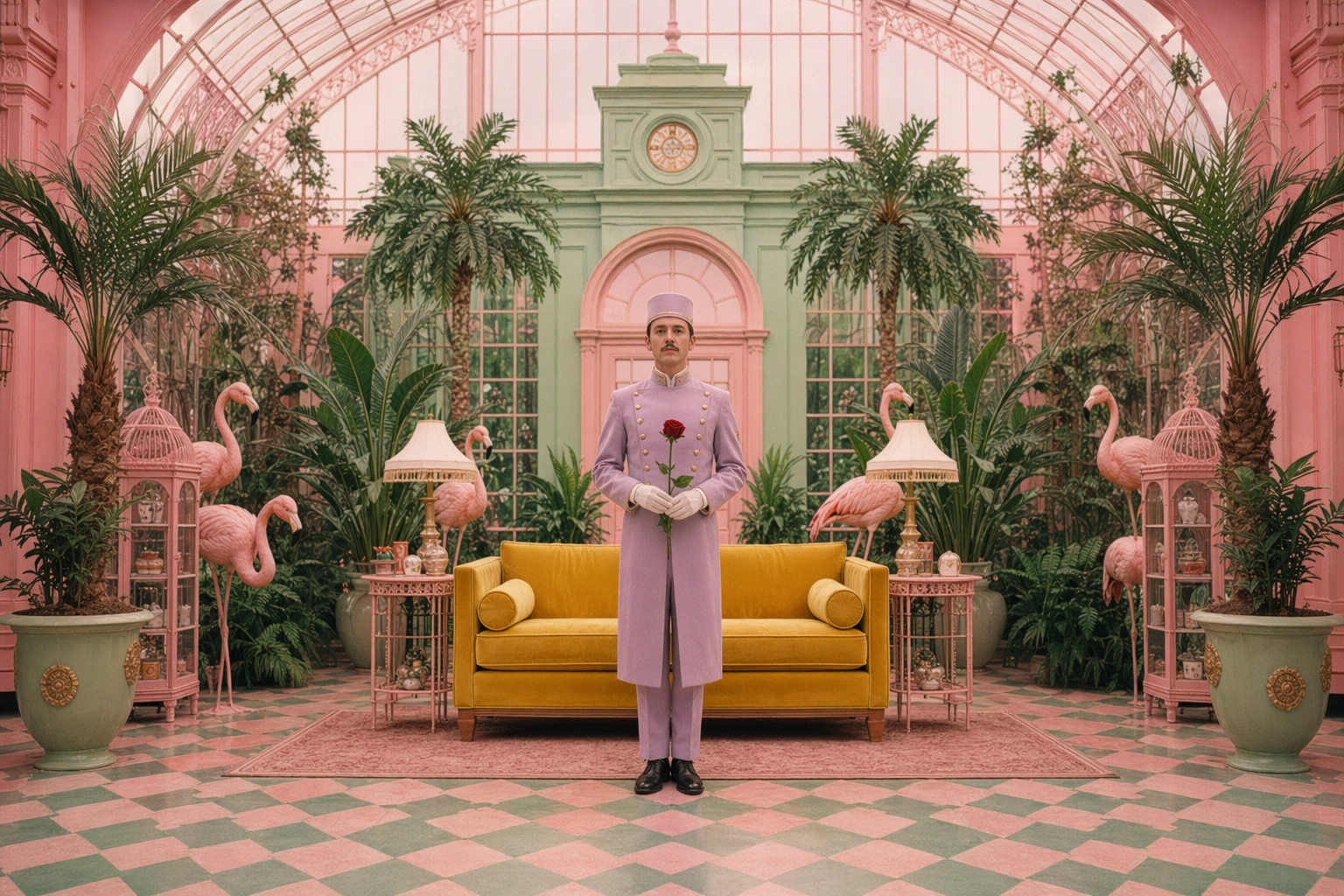
- Generate Master Keyframes in the Image Suite: Use Seedream 5.0 for stylized symmetry (like the pastel conservatory above), Nano Banana Pro for 2K/4K commercial realism, or Qwen Image 2.1 when your scene includes readable storefront signage or poster typography.
- Bind Multimodal Anchors in
Reference to Video: Upload your generated image into the Start Frame slot. If the camera move must land on a specific final composition (such as a product logo slate), upload that destination frame into the End Frame slot. You can also attach up to five additional reference modalities—including a Reference Video for motion cadence and a Reference Audio clip for beat-synced cuts. - Validate in
Draft Mode(480p): Run a 2-second or 5-second test in Draft Mode (costing just 10 to 25 credits at480p) to verify that parallax speed and lens distortion behave as expected before launching a 15-second or 30-second1080pmaster.
5 Copy-Paste Director Prompts for Wan 3.0 Video
Every prompt below is formatted for direct use inside the Wan 3.0 Studio workspace. Each includes explicit lens choices, timed action beats, and native audio cues.
Prompt 1: The Wes Anderson Symmetric Conservatory Dolly (4:3 or 16:9, 10s, 1080p)
Best Model Choice: Wan 3.0 or Wan 3.0 Video Prime (with Start Frame from Seedream 5.0)
[Mode: Reference to Video | Duration: 10s | Resolution: 1080p | Aspect Ratio: 4:3 | Audio: Enabled]

[Camera & Optics]
28mm rectilinear prime lens at f/8 for deep edge-to-edge sharpness, zero barrel distortion, strict central vanishing-point symmetry.

[0s–5s: Linear Dolly Pull-Back]
The camera executes a perfectly straight, mechanized dolly pull-back along the checkered pastel tile floor of a sunlit Victorian botanical conservatory. Mint-green iron arches and symmetrical tropical palms frame a concierge in a burgundy uniform standing dead-center holding a brass telescope.

[5s–10s: Whip Pan & Deadpan Action]
At 5.0s, the dolly stops abruptly with mechanical precision; the concierge raises the brass telescope to his eye in one crisp motion while a yellow canary flutters across the upper conservatory glass.

[Audio Direction]
Rhythmic vintage clockwork ticking, crisp leather heels clicking once on ceramic tile at 5s, gentle conservatory bird song, and a playful staccato harpsichord chord progression.
Prompt 2: The S-Curve Ribbon Choreography & Dolly Track (16:9, 15s, 1080p)
Best Model Choice: Wan 3.0 or Seedance 2.5 (Multimodal Motion & Audio Sync)
[Mode: Reference to Video | Duration: 15s | Resolution: 1080p | Aspect Ratio: 16:9 | Audio: Enabled]

[Camera & Optics]
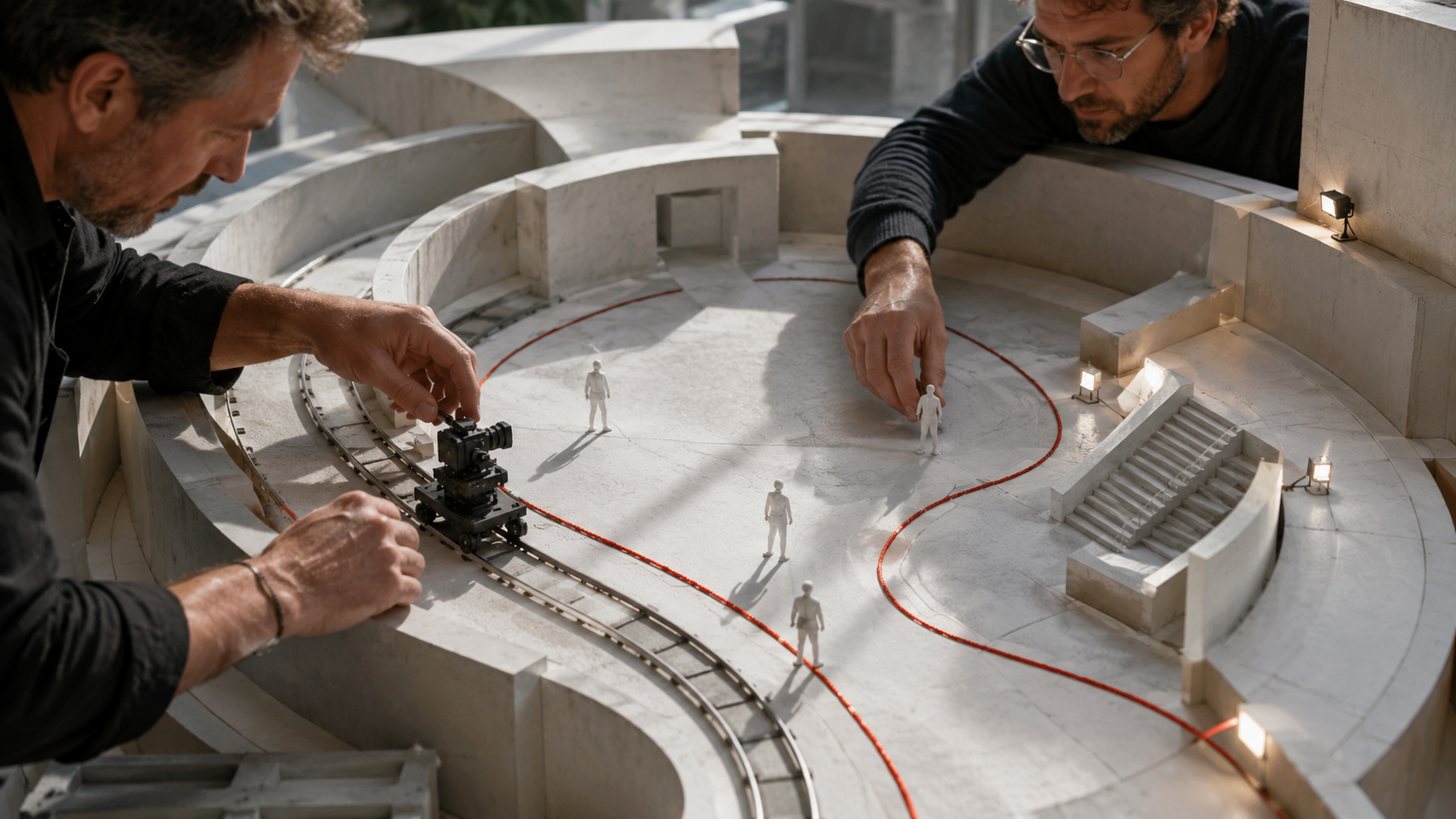
High-angle 35mm cinema lens mounted on a curved S-track dolly rail inside a pitch-black theatrical soundstage lit by a single overhead tungsten spotlight (3200K).

[0s–7s: Counter-Tracking Arc]
A contemporary dancer in a crimson silk dress moves fluidly along a glowing red satin ribbon laid out in a sweeping S-curve on the dark stage floor. A matte-black cinema camera on curved steel dolly rails tracks smoothly alongside her in foreground silhouette.

[7s–15s: Crane Lower & Dramatic Spin]
The camera cranes down to eye level and pushes into a medium close-up as the dancer completes a slow-motion pirouette, sending the crimson silk skirt flaring outward through volumetric theatrical haze.

[Audio Direction]
Resonant bare footsteps sliding across wooden stage floorboards, the whoosh of heavy silk cutting through air, and a solo dramatic acoustic violin melody with cavernous concert-hall reverb.
Prompt 3: 30-Second Multi-Beat Athleisure Commercial (9:16 Vertical Reel, 30s, 1080p)
Best Model Choice: Wan 3.0 (30s Flagship Engine + Native Audio)
[Mode: Reference to Video | Duration: 30s | Resolution: 1080p | Aspect Ratio: 9:16 | Audio: Enabled]

[Beat 1: 0s–8s — High-Energy Hook]
Low-angle gimbal tracking shot moving backward at sprint speed ahead of an athlete in a slate-grey technical windbreaker running across a wet rooftop track at sunrise. Golden-hour flares streak across a 50mm lens at f/2.0.

[Beat 2: 8s–20s — Macro Fabric Proof]
Smooth whip-transition into an orbital macro close-up (85mm lens) circling the athlete's shoulder as fine rain mist hits the hydrophobic micro-ripstop fabric and beads off instantly without soaking in. The athlete exhales visible warm breath in the crisp morning air.

[Beat 3: 20s–30s — Hero Stance & Spokesperson Delivery]
Camera settles into a balanced vertical medium shot against the city skyline. The athlete looks directly into the lens and speaks clearly with natural facial micro-expressions: "Engineered for every element. Zero compromise."

[Audio Direction]
Punchy 120 BPM electronic percussion beat, rhythmic running shoe impacts on wet Tartan track (0s–8s), subtle rain mist hiss (8s–20s), and crystal-clear studio-grade spoken voiceover synced at 21s.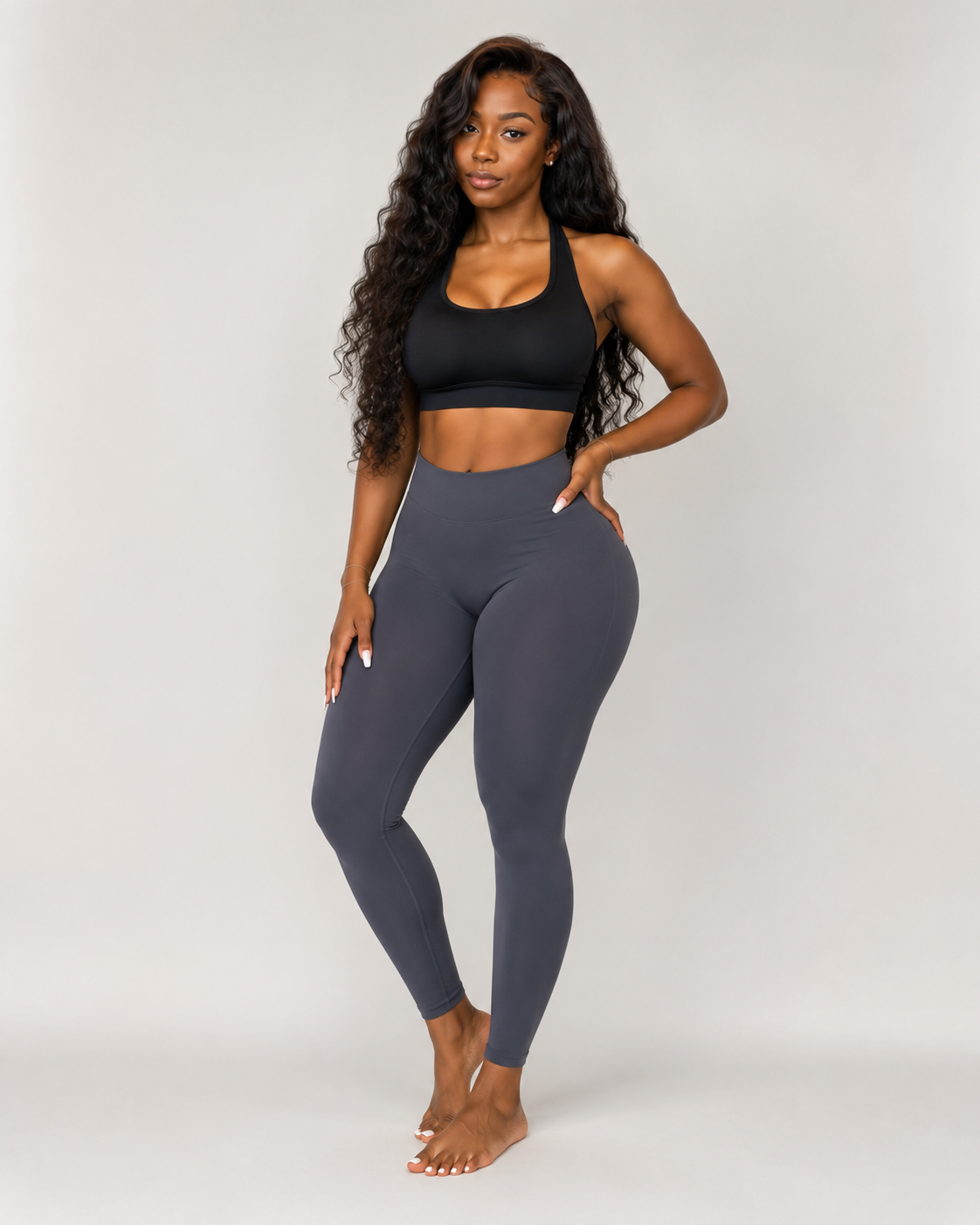
Prompt 4: Macro Culinary & Beverage Tabletop Pour (1:1 or 9:16, 5s, 1080p)
Best Model Choice: Wan 3.0 Video Prime (High-Speed Tabletop & Physics Detail)
[Mode: Text to Video | Duration: 5s | Resolution: 1080p | Aspect Ratio: 9:16 | Audio: Enabled]

High-speed Phantom-style 120fps macro tabletop shot (100mm macro prime lens, f/4, crisp Rim lighting). Dark roasted espresso pours in twin velvety ribbons from a bottomless chrome portafilter into a fluted glass cup filled with crystal-clear ice cubes and cold milk. Swirling caramel-colored crema clouds billow downward through the white milk in hypnotic fluid dynamics while condensation droplets glisten on the glass exterior.

[Audio Direction]
Rich espresso machine pressure hiss, thick liquid pouring over cracking ice cubes, and warm cafe acoustic ambiance.
Prompt 5: Architectural Dusk-to-Night Time-Lapse Transition (16:9, 15s, 1080p)
Best Model Choice: Wan 3.0 (with Start Frame = Daylight Render, End Frame = Night Render)
[Mode: Reference to Video (Start + End Frame Locked) | Duration: 15s | Resolution: 1080p | Aspect Ratio: 16:9 | Audio: Enabled]

Slow motorized slider move from left to right across a cliffside brutalist glass villa overlooking a turbulent ocean. From 0s to 7s, warm late-afternoon sunset light reflects off floor-to-ceiling glass panels. From 7s to 15s, twilight deepens into blue hour as interior warm 2700K architectural recessed lights and an infinity pool glow to life, seamlessly matching the End Frame keyframe.

[Audio Direction]
Deep rhythmic ocean waves crashing against coastal cliffs below, gentle evening wind, and a warm ambient piano chord swell.
Synchronized Dialogue & Multilingual Dubbing with AI Video Lip Sync
In addition to generating native soundscapes during initial video synthesis, creators can route any rendered clip into the AI Video Lip Sync studio to align mouth movements, jaw kinematics, and phoneme timing to custom voiceover tracks across multiple languages.
For performance marketing agencies and global content teams, this two-stage audio workflow solves one of the biggest bottlenecks in video localization:
- Stage 1 — Native Audio Generation: Turn on the Audio toggle during your initial Wan 3.0 video generation so environmental Foley (footsteps, rain, fabric rustle, room tone) is baked naturally into the scene's motion physics.
- Stage 2 — Multilingual Lip-Sync Localization: Take a single 15-second or 30-second hero spokesperson clip (
9:16or16:9) and run it through/tools/ai-video-lip-syncwith localized audio stems (English, Spanish, Japanese, Mandarin, French, or German) without re-rendering the underlying scene background. - Stage 3 — Clean Compositing (
/tools/background-remover): If you need to composite the speaking presenter over an interactive software demo or custom motion-graphics slate, run the clip through the built-in Background Remover to isolate the subject cleanly.
Quick Reference: Duration, Resolution, and Credit Planning
Before launching a batch of 1080p renders, keep the studio's credit multipliers in mind so you can iterate efficiently:
- Base Credit Formula:
5 credits per secondat480p(1.0x),1.5xat720p, and2.0xat1080p. - Fast Blocking (
480pDrafts): A 2-second motion check costs 10 credits; a 5-second camera blocking clip costs 25 credits. Every new user receives 100 free credits on sign-up, enough to run four 5-second tests immediately. - Master Renders (
1080p): A 5-second master costs 50 credits, a 15-second social ad costs 150 credits, and a full 30-second multi-beat commercial costs 300 credits. - Subscription Tiers: For ongoing production, plans scale from Basic ($9.90/mo billed annually, 1,200 credits/mo) to Pro ($19.90/mo billed annually, 3,200 credits/mo with commercial rights) and Ultra ($59.90/mo billed annually, 12,000 credits/mo with maximum concurrency).
Copy any of the five director prompts above, open wan30.io, and start choreographing long-form 1080p AI video sequences with full camera and audio control.


Comments
Post a Comment